Log Collection (Loki + Vector)
This document explains how to enable centralized log collection for the MoAI Inference Framework using Loki (log aggregation) and Vector (log collection agent).
Overview
Architecture details
Loki
| Property | Value |
|---|---|
| Helm chart | grafana/loki v6.30.0 |
| App version | 3.5.1 |
| Storage backend | S3 (MinIO), TSDB index |
| Retention | 90 days (2160 h) |
| Ingestion limit | 30 MB/s, 60 MB burst |
| Max entries/query | 50 000 |
| Deployment | Distributed (gateway / read / write / backend) |
Vector
| Property | Value |
|---|---|
| Helm chart | vector/vector v0.39.0 |
| Deployment | DaemonSet (Agent mode, one pod per node) |
| Log source | Pods labelled mif.moreh.io/log.collect=true (kubernetes_logs) |
| Log format | JSON parsing applied only to pods labelled mif.moreh.io/log.format=json |
| Tolerations | unschedulable, compute, amd.com/gpu |
MinIO
| Property | Value |
|---|---|
| Helm chart | minio/minio v5.4.0 |
| Mode | Standalone |
| Bucket | loki (created via post-install Job on startup) |
| Loki credentials | Dedicated loki user with S3 policy scoped to loki bucket |
| Resources | 2 Gi memory (requests) |
| Persistence | emptyDir (ephemeral by default) |
| Deployment | Single pod |
Component naming
Service names are derived from the Helm release name. With the default release name mif:
| Service | Name (same-namespace access) |
|---|---|
| MinIO | mif-minio |
| Loki gateway | mif-loki-gateway |
| Loki read | mif-loki-read |
| Loki write | mif-loki-write |
Vector connects to Loki using the release-prefixed service name since all components are co-located in the same namespace.
Prerequisites
- The
moai-inference-frameworkHelm chart installed (or being installed).
MinIO, Loki, and Vector are all enabled by default in the moai-inference-framework chart. No additional configuration is required to get started.
Installation
Log collection is installed as part of the moai-inference-framework Helm chart. See Prerequisites for the required values and install command.
Verifying the installation
Check that all Loki components are running.
kubectl get pods -n mif -l app.kubernetes.io/name=loki
NAME                           READY   STATUS    RESTARTS   AGE
loki-backend-0                 1/1     Running   0          2m
loki-gateway-xxxxxxxxx-xxxxx   1/1     Running   0          2m
loki-read-xxxxxxxxx-xxxxx      1/1     Running   0          2m
loki-write-0                   1/1     Running   0          2m
Check that Vector is running on all nodes.
kubectl get pods -n mif -l app.kubernetes.io/name=vector
NAME           READY   STATUS    RESTARTS   AGE
vector-xxxxx   1/1     Running   0          2m
vector-yyyyy   1/1     Running   0          2m
Check Vector logs to confirm it is shipping to Loki without errors.
kubectl logs -n mif -l app.kubernetes.io/name=vector --tail=50
Enabling log collection for a pod
Vector collects logs only from pods that explicitly opt in. Two pod labels control this behavior.
Opt-in label
Add the mif.moreh.io/log.collect=true label to a pod to include its logs in Vector's collection. Pods without this label are ignored entirely.
metadata:
  labels:
    mif.moreh.io/log.collect: "true"
Log format label
Add the mif.moreh.io/log.format=json label to enable structured JSON log parsing for a pod. When set, Vector parses each log line as JSON and promotes the following fields:
| JSON field | Mapped to |
|---|---|
msg | message |
time | timestamp |
level | level (Loki label) |
| others | merged into the event |
Without this label, the log line is forwarded as-is without any JSON parsing.
metadata:
  labels:
    mif.moreh.io/log.collect: "true"
    mif.moreh.io/log.format: "json"
The level Loki label is only populated for pods with mif.moreh.io/log.format=json. For plain-text pods, level remains empty.
Searching logs in Grafana
Accessing Grafana
If you have not yet accessed Grafana, follow the Accessing Grafana guide to retrieve admin credentials, set up port forwarding, and log in.
Opening the Explore view
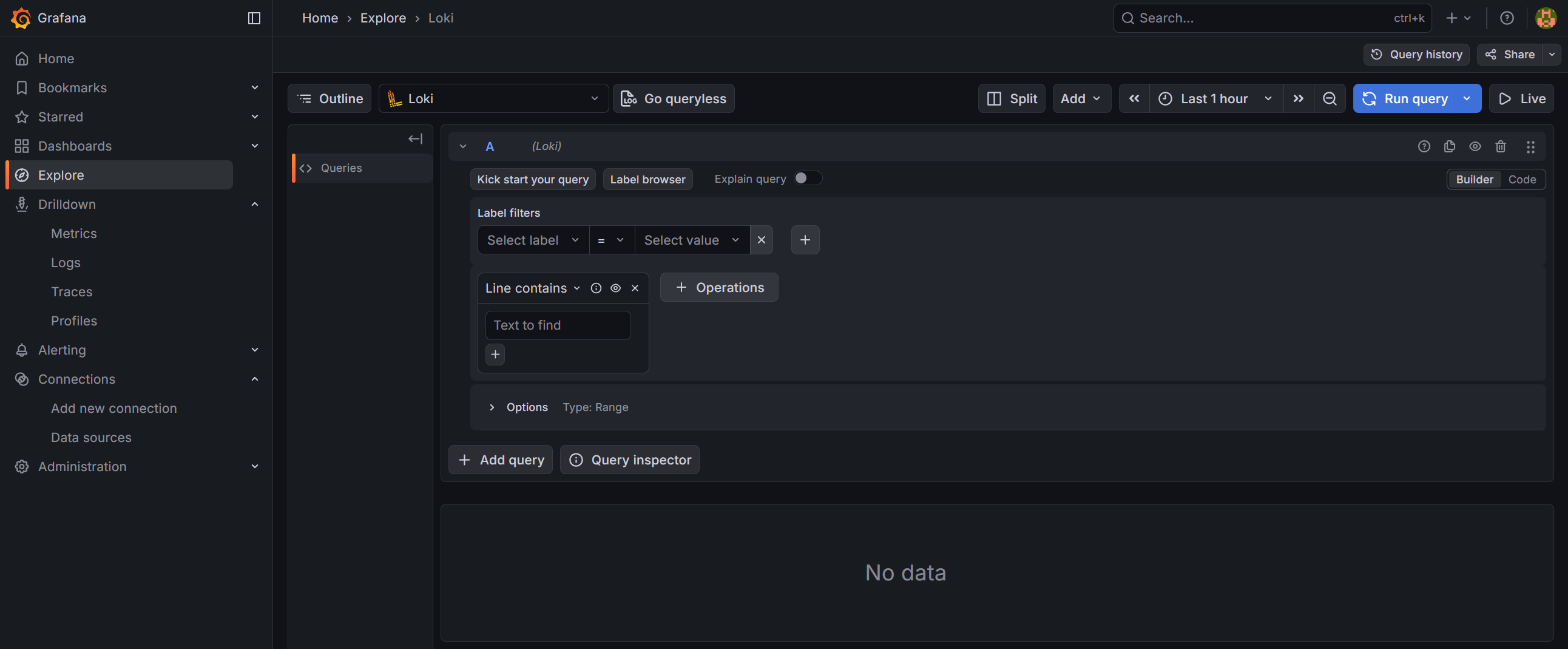
After logging in to Grafana, click on the Explore icon (compass) in the left sidebar. You will see the Explore view with a query editor:
Selecting the Loki datasource
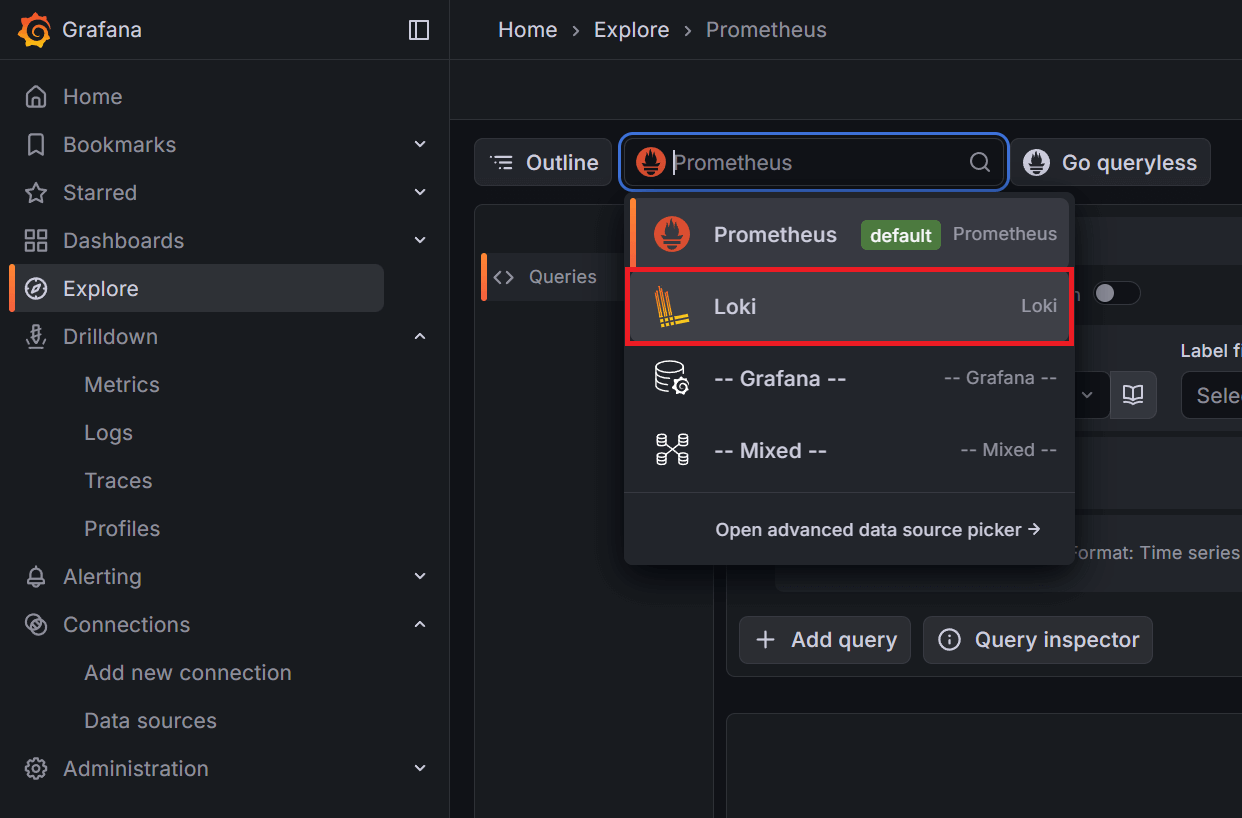
If the datasource is not already set to Loki, click the datasource dropdown at the top of the page and select Loki:
Switching to Code mode
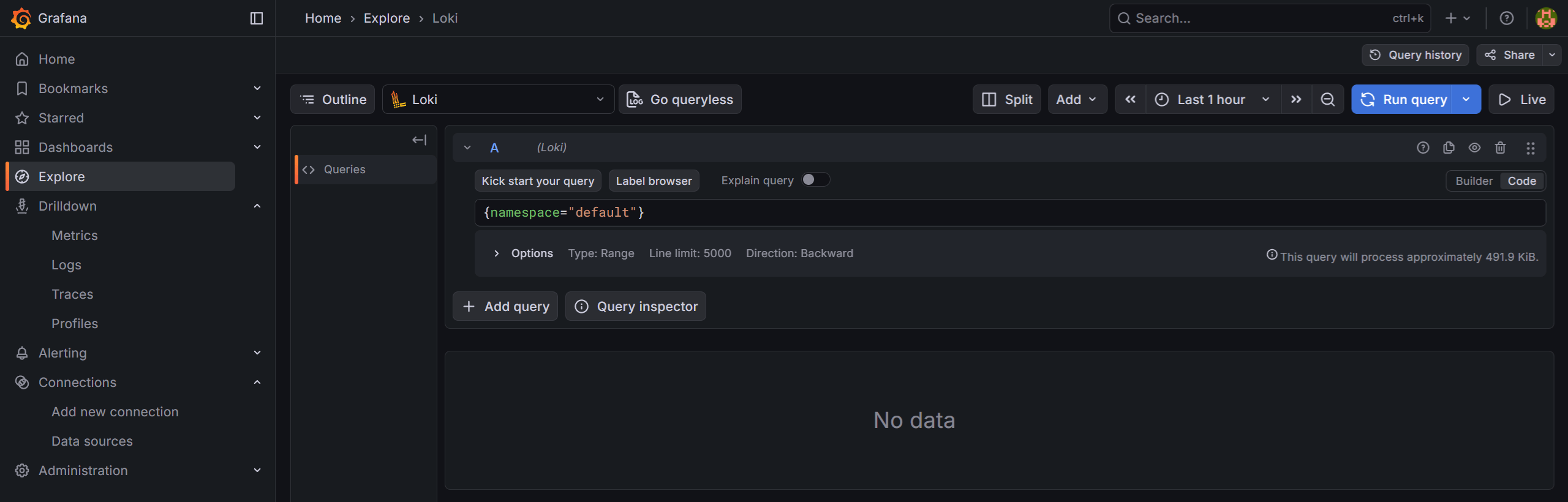
The query editor defaults to Builder mode, which provides a visual query builder. To write LogQL queries directly, click the Code button to switch to Code mode:
Running a log query
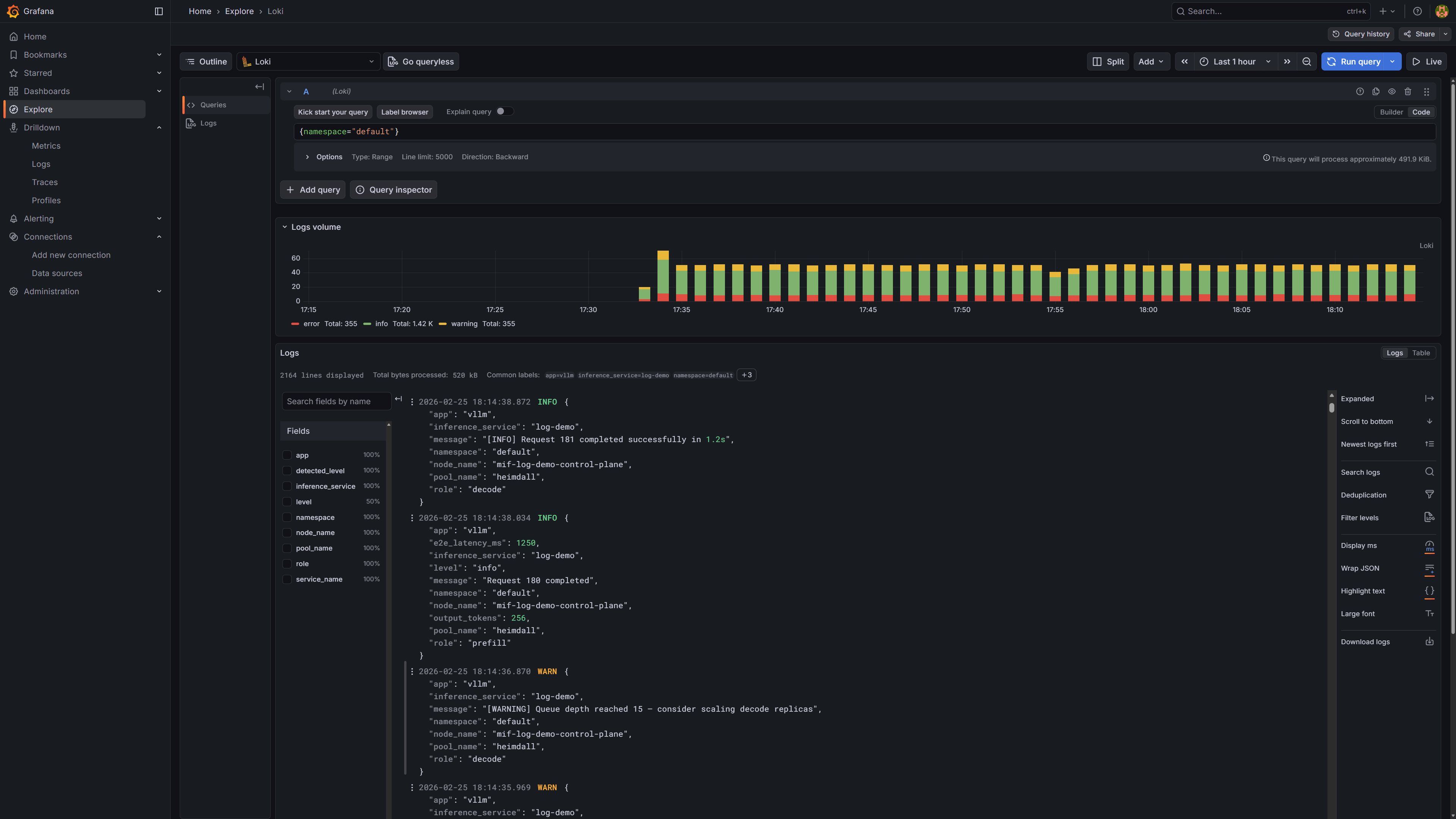
Enter a LogQL query in the query editor and click Run query (or press Shift+Enter). For example, {namespace="default"} returns all logs from the default namespace. The screenshot below shows the results, which include both plain-text and JSON-formatted logs collected from different pods:
Labels available for log search
Vector enriches every log entry with the following labels, which can be used as LogQL selectors:
| Label | Source | Example value |
|---|---|---|
namespace | kubernetes.pod_namespace | default |
inference_service | pod label app.kubernetes.io/instance | llama-3-2-1b |
pool_name | pod label mif.moreh.io/pool | heimdall |
role | pod label mif.moreh.io/role | prefill, decode |
app | pod label app.kubernetes.io/name | vllm |
node_name | VECTOR_SELF_NODE_NAME env var (injected by Vector) | gpu-node-01 |
level | parsed from JSON log field level (pods with mif.moreh.io/log.format=json only) | info, warn, error |
Query examples
Filter by a single label:
{namespace="default"}
{inference_service="llama-3-2-1b"}
{pool_name="heimdall"}
{role="decode"}
Combine multiple labels and search for a keyword in the log line:
{namespace="default", inference_service="llama-3-2-1b", role="prefill"} |= "error"
Filter by log level (available only for JSON-formatted pods):
{namespace="default", level="error"}
The level label is only available for pods with the mif.moreh.io/log.format=json label. To filter plain-text logs by level, use a pipeline filter instead:
{namespace="default"} |= "ERROR"
Using an external MinIO
If MinIO is already deployed outside this chart, set minio.enabled: false and configure lokiBucket with the host and credentials of a MinIO user that has read/write access to the loki bucket.
Same namespace — if the existing MinIO service name matches <release>-minio, only credentials are required:
minio:
  enabled: false
lokiBucket:
  accessKey: <accessKey>
  secretKey: <secretKey>
Different namespace — set lokiBucket.host to the FQDN so that Loki can resolve it cross-namespace:
minio:
  enabled: false
lokiBucket:
  host: <minio.minio.svc.cluster.local>
  accessKey: <accessKey>
  secretKey: <secretKey>
Disabling log collection
minio:
  enabled: false
loki:
  enabled: false
vector:
  enabled: false